Short Answer
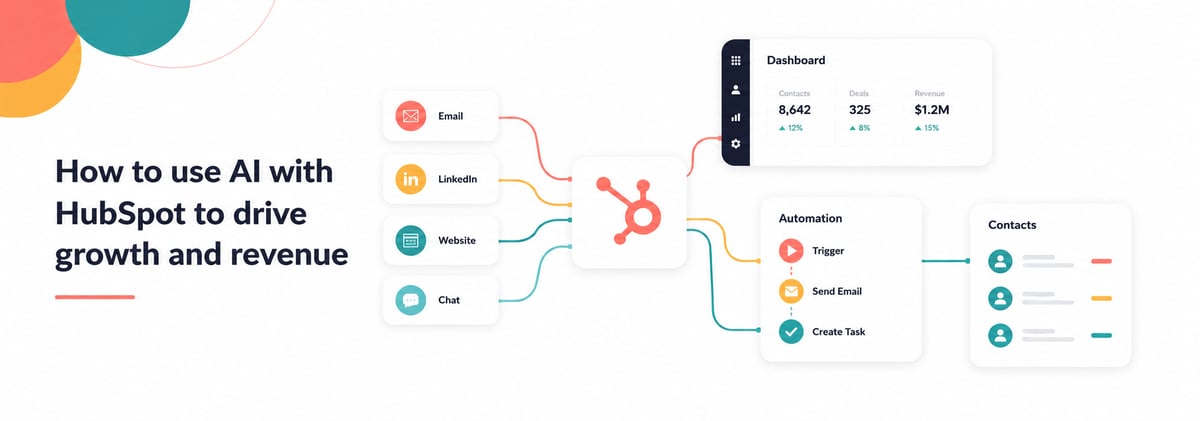
AI in HubSpot works best when it supports an already structured revenue system. It can improve lead qualification, sales productivity, reporting, content creation, forecasting and operational efficiency. The biggest gains usually come from connecting AI to CRM data, lifecycle stages, website behaviour and automation workflows.
Most businesses do not need more AI tools. They need AI connected properly to their existing revenue process.
Quick Answer: What Can AI Do Inside HubSpot?
- Score and prioritise leads
- Draft sales emails and follow-ups
- Summarise meetings and CRM activity
- Improve reporting analysis
- Support content creation
- Automate repetitive admin tasks
- Route leads intelligently
- Assist customer support workflows
- Analyse pipeline trends
- Improve forecasting visibility
- Recommend next sales actions
- Power internal AI assistants
What Does AI Actually Do Inside HubSpot?
AI inside HubSpot helps teams make faster operational decisions and reduce manual work.
It does not replace strategy, qualification or commercial thinking.
The strongest AI use cases usually support:
- sales productivity
- CRM management
- reporting visibility
- content workflows
- lead management
- operational efficiency
Most businesses already have enough data inside HubSpot to benefit from AI.
The issue is usually that the CRM structure, lifecycle stages or reporting are not reliable enough yet.
How Do You Use AI With HubSpot to Improve Sales and Marketing?
You use AI by connecting it to real commercial workflows.
That means AI should support:
- lead qualification
- sales follow-up
- marketing optimisation
- reporting analysis
- CRM data management
- pipeline forecasting
- customer engagement
AI should sit inside the revenue process, not outside it.
The biggest improvements usually come from operational efficiency rather than fully automated selling.
What Can AI Actually Automate in HubSpot?
AI can automate repetitive operational tasks that slow sales and marketing teams down.
Common AI-supported workflows in HubSpot
|
Area |
AI use case |
|
Sales |
Email drafting and follow-up suggestions |
|
CRM |
Data enrichment and summarisation |
|
Marketing |
Content creation support |
|
Reporting |
Trend analysis and summaries |
|
Customer support |
Ticket routing and response assistance |
|
RevOps |
Workflow optimisation |
|
Lead management |
Lead scoring and prioritisation |
|
Forecasting |
Pipeline analysis support |
Most businesses gain value fastest from:
- reducing admin
- improving response times
- increasing visibility
- prioritising sales activity
What Is an AI Assistant for a HubSpot Team?
An AI assistant is a connected AI workflow designed to support daily operational tasks inside the revenue system.
For example, an AI assistant could:
- summarise deal activity
- recommend follow-up actions
- surface pipeline risks
- answer CRM questions
- generate campaign summaries
- assist with sales preparation
- analyse lead quality trends
The assistant should connect to:
- HubSpot data
- lifecycle stages
- reporting
- website activity
- sales activity
- operational workflows
The goal is not replacing people.
The goal is helping teams make better decisions faster.
How Do You Create an AI Assistant for HubSpot?
You start with operational use cases, not technology.
Most businesses should begin by identifying:
- repetitive manual tasks
- reporting bottlenecks
- slow decision-making areas
- qualification inefficiencies
- CRM admin issues
Then build AI support around those workflows.
Typical process for AI enablement in HubSpot
- Audit CRM and data quality
- Define operational use cases
- Structure lifecycle stages
- Connect reporting and workflows
- Implement AI-supported automation
- Train teams on usage
- Monitor performance and adoption
AI works best when it supports clearly defined commercial processes.
Why Do Many AI Projects Fail Inside HubSpot?
Most failures come from trying to apply AI to disorganised systems.
Common AI enablement problems
- messy CRM data
- unclear lifecycle stages
- poor reporting accuracy
- disconnected tools
- weak user adoption
- overcomplicated automation
- unclear ownership
- unrealistic expectations
AI cannot fix operational confusion.
It usually exposes it faster.
How Important Is CRM Structure Before Using AI?
CRM structure is one of the biggest factors affecting AI performance.
If the CRM contains:
- duplicate records
- inconsistent stages
- poor attribution
- missing data
- unreliable reporting
then AI outputs become unreliable too.
Strong AI outcomes usually require:
- clean CRM data
- consistent lifecycle management
- reliable attribution
- documented workflows
- shared reporting standards
This is why AI enablement is usually part of a wider revenue system strategy.
Can AI Improve Lead Quality and Pipeline Growth?
Yes, when AI supports qualification and prioritisation properly.
AI can help:
- identify buying intent
- prioritise higher-converting leads
- improve follow-up timing
- support personalised outreach
- analyse conversion patterns
- optimise campaigns
But AI should improve the system, not replace human qualification.
Sales teams still need commercial judgement.
How we can help
If your business is experimenting with AI but struggling to connect it to real commercial outcomes, the issue is usually operational structure rather than AI capability.
Imagine Growth’s AI Enablement service helps B2B companies connect:
- HubSpot
- AI workflows
- CRM data
- reporting
- sales operations
- marketing processes
- revenue visibility
The focus is practical AI adoption tied directly to pipeline and operational performance.
Contact us and we’ll talk through your use case.

What Should You Fix Before Adding AI to HubSpot?
Most businesses should improve operational clarity before expanding AI usage.
Recommended priorities before AI enablement
- CRM data quality
- Lifecycle stage consistency
- Reporting reliability
- Sales pipeline structure
- Lead routing and ownership
- Website attribution tracking
- Workflow documentation
- AI implementation
AI performs better when the underlying revenue system is stable.
Practical AI Enablement Checklist
CRM and Data
- Is duplicate management controlled?
- Are lifecycle stages consistent?
- Is reporting trusted?
- Are workflows documented?
Sales Operations
- Are follow-up processes defined?
- Are pipelines structured clearly?
- Are response times tracked?
Marketing Operations
- Is attribution accurate?
- Are campaigns tied to pipeline?
- Is lead qualification documented?
AI Readiness
- Are repetitive tasks identified?
- Are teams trained properly?
- Is AI connected to CRM workflows?
- Are outputs being reviewed for quality?
Common AI Enablement Mistakes
Adding AI before fixing CRM structure
Poor data creates poor AI outputs.
Treating AI as a replacement for strategy
AI supports execution and analysis. It does not replace commercial thinking.
Over-automating customer interactions
Too much automation can reduce lead quality and customer trust.
Ignoring operational adoption
AI only works when teams actually use it consistently.
Running disconnected AI tools outside HubSpot
Disconnected tools often create fragmented workflows and reporting gaps.
When Should You Get Expert Help With AI Enablement?
You should consider external support when:
- AI projects are not producing measurable outcomes
- CRM data quality is inconsistent
- reporting cannot be trusted
- teams are unsure how to use AI practically
- sales adoption is weak
- operational workflows are unclear
- automation has become difficult to manage
- leadership wants AI tied to revenue performance
AI enablement requires both technical implementation and operational strategy.
Most businesses need both.
What Makes AI Enablement Different From Simply Adding AI Tools?
Adding AI tools is easy.
Building operational AI capability is harder.
AI Tools vs AI Enablement
|
AI Tool Adoption |
AI Enablement |
|
Isolated software |
Connected revenue workflows |
|
Generic automation |
Commercial process support |
|
Experimental usage |
Structured operational adoption |
|
Content generation only |
Sales, marketing and reporting integration |
|
Disconnected data |
CRM-connected intelligence |
|
Tactical outputs |
Revenue-focused outcomes |
The difference is whether AI improves measurable operational performance.
FAQs About AI and HubSpot
What can AI do inside HubSpot?
AI can support lead scoring, reporting analysis, email drafting, workflow automation, forecasting, content support and CRM management.
How do you use AI with HubSpot effectively?
Connect AI to CRM data, lifecycle stages, reporting and operational workflows rather than using isolated tools separately.
Can AI improve sales performance in HubSpot?
Yes. AI can improve prioritisation, follow-up efficiency, pipeline visibility and sales productivity when implemented properly.
What is an AI assistant for sales and marketing teams?
It is an AI-supported workflow or tool that helps teams analyse data, automate repetitive work and improve operational decision-making.
Should you clean CRM data before using AI?
Yes. Poor CRM structure and inconsistent data reduce AI accuracy and operational usefulness.
Can AI improve reporting and forecasting?
AI can help summarise trends, identify risks and improve visibility, but reporting still depends on accurate CRM data and process consistency.
How long does AI enablement take in HubSpot?
Most businesses begin seeing operational improvements within weeks, but broader AI adoption usually develops over several months.
Summary
Most B2B companies do not need disconnected AI experiments.
They need AI integrated into the revenue system they already operate.
Imagine Growth’s AI Enablement service helps businesses connect:
- HubSpot
- AI workflows
- sales operations
- marketing activity
- reporting
- lifecycle management
- revenue visibility
The result is practical AI adoption focused on operational efficiency, pipeline growth and better commercial decision-making.
If your business is exploring AI but struggling to turn it into measurable commercial impact, the underlying revenue system is usually the place to start.
Speak to us if you want expert help.